
ArionPlay Withdrawal Problem: 7 Root Causes and Verified Fixes
Most ArionPlay withdrawal problem reports trace back to seven fixable compliance, turnover, or e-wallet ceiling triggers rather than lost funds. Use this forensic desk manual to isolate the exact block and unlock your Philippine Peso payout.
TL;DR Briefing
An ArionPlay withdrawal problem almost always stems from one of seven causes: unfinished bonus or 1x deposit turnover, pending KYC approval, PAGCOR third-party name mismatches, a maxed ₱100,000 GCash monthly cap, open game rounds, shared-device account flags, or InstaPay bank clearing pauses. Fixing the specific trigger restores normal 1 to 24 hour payouts.
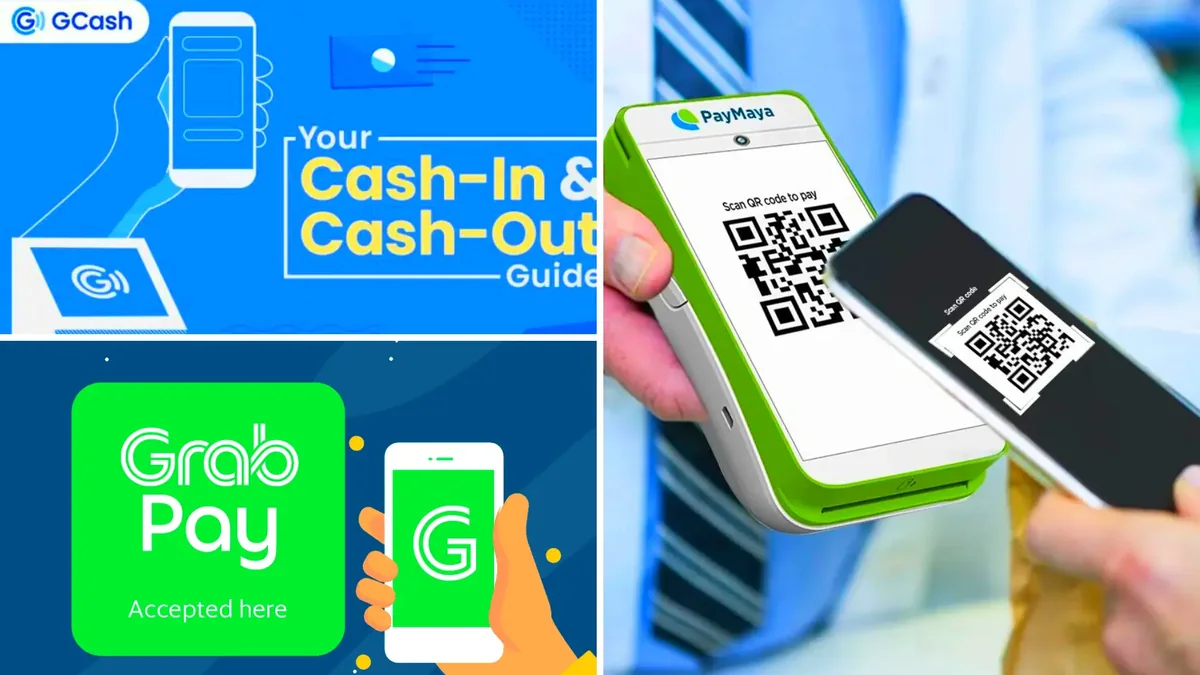
Encountering an ArionPlay withdrawal problem right after a profitable evening session triggers understandable anxiety for Filipino players watching their Philippine Peso (PHP) balance sit frozen. In nearly every dispute reviewed by our Manila payment desk, however, the payout did not vanish—an automated compliance rule paused disbursement until a specific discrepancy clears. Guessing blindly or re-submitting duplicate requests only pushes your ticket deeper into manual review.
This troubleshooting guide diagnoses the seven most common withdrawal roadblocks across GCash, Maya, and local commercial banks in 2026. Each section explains how the cashier flags the error, walks through the exact corrective action, and shows what documentation customer service requires if manual intervention becomes necessary. Follow the root-cause sequence below to resolve your hold cleanly.
Cause 1: Unfinished Bonus Wagering or 1x Deposit Playthrough
When Filipino players claim a deposit match—for instance, ₱500 bonus funds carrying a 15x wagering rule—the cashier locks withdrawals until ₱7,500 in eligible wagers settle. Confusion frequently arises because not every vertical clears rollover at identical speed: slots count 100%, specialty instant games count 50% to 100%, sports count 20% to 50%, and live casino or RNG tables count just 10% to 20%.
Even without opting into a welcome offer or a 0x to 5x weekly cashback promo, depositing ₱2,000 via GCash and immediately attempting to cash out ₱2,000 triggers a 1x AML playthrough block. Open your Promotions or Turnover dashboard, note the exact PHP remaining, and finish qualifying bets cleanly before re-submitting.
- Verify whether an automatic reload bonus toggled on during your last ₱100+ deposit.
- Confirm that recent live baccarat or roulette stakes counted at 10% to 20% rather than 100%.
- Avoid opposite-side hedging bets, which void rollover progress during risk audits.
Cause 2: Pending, Blurry, or Missing KYC Verification Files
Identity verification exists strictly to safeguard your real money balance against unauthorized account hijackers trying to reroute payouts. If you skipped KYC after sign-up and immediately requested a ₱8,000 withdrawal, the cashier holds the disbursement until compliance confirms your identity against an official Philippine government ID.
Re-upload crisp, uncropped photographs of a valid PhilSys National ID, UMID, LTO Driver's License, or PRC ID photographed on a dark matte table under soft indirect light. Avoid overhead bulbs that create white reflections across your photo or birth date, and wait out the standard 24 to 48 hour approval cycle once.
Cause 3: PAGCOR AML Third-Party Wallet Name Mismatches
Attempting to cash out winnings to a partner's GCash number because your own wallet is unverified guarantees an immediate compliance rejection. Regulated gaming operators enforce strict first-party settlement rules outlined through the official PAGCOR framework so stolen funds or third-party mule accounts cannot exploit the cashier.
Even subtle discrepancies—such as registering your casino profile under a maiden name while your Maya account still carries your married surname, or omitting a hyphenated second surname—can trigger manual holds. Contact live support with your valid ID and matching wallet profile screenshot to synchronize your legal name permanently. Readers can confirm current rules directly through the official PAGCOR framework.
Cause 4: Hitting the ₱100,000 GCash Monthly Incoming Cap
Many Filipino players blame the casino cashier when their own e-wallet silently refuses the incoming credit. Standard Fully Verified GCash wallets aggregate every peso received since the 1st of the month—including payroll deposits, family remittances, and earlier gaming payouts—against a hard ₱100,000 ceiling.
Inspect Profile Limits inside GCash before blaming an ArionPlay withdrawal problem. If your remaining monthly headroom sits at ₱8,500 and you need to withdraw ₱22,000, upgrade to GCash Plus, pivot to a verified upgraded Maya account in your exact legal name, or route the cashout to BDO, BPI, or UnionBank.
Cause 5: Unsettled Bets, Open Free Spins, and Sub-Wallet Locks
Closing a browser tab mid-bonus round on a slot game or leaving an active PBA or NBA sportsbook wager unsettled leaves part of your ledger in a locked state. Automated payout validators verify that zero active game sessions remain open before approving a balance sweep, preventing duplicate payout exploits.
Log back into the exact slot studio or table lobby you played last, complete any suspended free spins, tap Return to Lobby cleanly, and click Main Wallet Refresh. Once every provider sub-wallet registers ₱0.00 and your full balance sits in the main cashier, submit your withdrawal request again.
Cause 6: Shared Wi-Fi Multi-Account Flags and VPN Triggers
Casino risk engines monitor device fingerprints, IP addresses, and bound payment numbers to block bonus abuse rings. If two relatives living in the same condo claim separate welcome bonuses over the same home fiber router—or if you accidentally left a Singapore or US VPN enabled while tapping Withdraw—your ticket shifts into extended compliance review.
Disable all VPN and proxy tools whenever accessing the ArionPlay cashier, and maintain strictly one personal account per individual. If a legitimate shared-Wi-Fi flag affects your household, provide separate government IDs and wallet ownership proofs to support so compliance can clear the security hold.
- Turn off VPN extensions on Chrome, Safari, and Android system settings before logging in.
- Never create a second account to claim an extra sign-up offer after losing access to an old password.
- Stick to your personal Globe or Smart 4G LTE connection if shared office Wi-Fi triggers repeated security prompts.
Cause 7: InstaPay, PESONet, and Holiday Bank Clearing Pauses
Occasionally, every box on your player profile is spotless yet funds stall outside ArionPlay's control. Philippine payment rails—including InstaPay switches monitored under Bangko Sentral ng Pilipinas oversight—conduct scheduled overnight maintenance, typically between 11:30 PM and 4:00 AM PHT, and experience heavy throttling on 15th and 30th payday evenings.
Similarly, BDO, BPI, and UnionBank transfers require 1 to 3 business days and halt completely during weekends, Holy Week, and Pasko banking holidays. Check official bank or e-wallet status banners before escalating, and avoid cancelling an already-approved ticket during transient gateway congestion. Readers can confirm current rules directly through the Bangko Sentral ng Pilipinas oversight.
Diagnostic Matrix: 7 ArionPlay Withdrawal Problems and Exact Fixes
Match your cashier status message to its underlying cause and verified resolution step.
| Root Cause | Typical Cashier Symptom | Affected Rails | Verified Fix | Expected Recovery |
|---|---|---|---|---|
| Incomplete Turnover | Withdrawable balance shows ₱0 | All rails | Clear 1x deposit or bonus rollover via 100% slots | Immediate after final bet |
| Unfinished KYC | Status stuck in Verification Needed | All rails | Upload clear PhilSys, UMID, LTO, or PRC ID | 24 – 48 hours |
| Third-Party Name | Rejected – Account Name Mismatch | GCash / Maya / Bank | Bind personal wallet matching verified KYC ID | 1 – 24 hours after rebind |
| GCash Cap Hit | Failed / Returned to main balance | GCash Standard | Switch to upgraded Maya, GCash Plus, or PH bank | 1 – 24 hours (e-wallet) |
| Open Game Round | Balance locked in provider wallet | All rails | Finish pending spins and sweep to Main Wallet | 5 – 15 minutes |
| VPN / Multi-Account | Extended Manual Audit status | All rails | Disable VPN and submit ID proof to live chat | 12 – 48 hours |
| Gateway Downtime | Approved but uncredited at wallet | InstaPay / Banks | Wait out maintenance; escalate after 24h with Ref ID | 2 – 24 hours |
How to Diagnose and Escalate an ArionPlay Withdrawal Problem
Before you message customer service about a blocked cashout, run through these five quick self-checks to gather exact evidence.
-
Read the Exact Status Code in Withdrawal History
Open Cashier History and copy the exact label—such as Rejected, Under Audit, Failed, or Processing—along with the numeric Ticket ID.
-
Audit Turnover and Sub-Wallet Locks
Check your Promotions meter for unfinished wagering and tap Main Wallet Refresh to ensure zero chips remain inside studio sub-wallets.
-
Inspect GCash or Maya Monthly Limits
Open your e-wallet app and verify that incoming monthly headroom easily covers your requested PHP sum without breaching ₱100,000.
-
Confirm KYC Badge and Legal Name Alignment
Verify that your ArionPlay KYC indicator reads Approved and matches your destination e-wallet or bank holder name letter for letter.
-
Send One Complete Support Packet
Contact official live chat with your username, Ticket ID, exact PHP figure, timestamp, and uncropped e-wallet limit screenshot for rapid resolution.
Access ArionPlay Philippines via Verified Referral Portal
Complete your 21+ registration, align your GCash or Maya account name with your government ID, and explore verified games with transparent PHP limits.
Responsible Gaming
Resolving a delayed cashout can feel stressful, yet Filipino players aged 21 years old and above (21+) should never re-deposit fresh pesos to 'test' whether the cashier is working while a withdrawal remains under review. Wait calmly for the existing ticket to settle before making any new financial decisions.
Protecting your bankroll starts with strict pre-set limits inside your profile settings. Under PAGCOR responsible gaming rules, reducing a deposit limit activates right away, while raising a deposit cap enforces a mandatory 24-hour cooling-off delay.
If payment frustrations tempt you into chasing losses or cancelling pending payouts, activate self-exclusion to lock your account within 24 hours across all access points including the mobile app. Confidential local help is always free through the National Council on Problem Gambling Philippines, Gamblers Anonymous Philippines, and the PAGCOR Responsible Gaming Helpline.
- PAGCOR Responsible Gaming Helpline: Regulatory guidance and exclusion enrollment via pagcor.ph.
- National Council on Problem Gambling Philippines: Free support and education for Filipino players and households.
- Gamblers Anonymous Philippines: Confidential peer meetings across Metro Manila and online via gamblersanonymous.org.
Key Takeaways for Filipino Players
Every ArionPlay withdrawal problem has a concrete technical or compliance trigger—whether unfinished turnover, an unverified PhilSys ID, a maxed ₱100,000 GCash ceiling, or overnight bank switch maintenance. Working methodically through these seven checks resolves most holds without losing a single Philippine Peso and restores standard 1 to 24 hour e-wallet payout speed. Verified 21+ players who guide peers toward clean KYC and payment hygiene can also Invite your friends to register and play and get a chance to earn bonuses of up to ₱50,000.00 under published referral wagering rules.
Document your cashier reference tickets carefully, keep both GCash and Maya verified as dual rails, and avoid unverified third-party brokers at all times. Once your verified account clears smoothly within your planned budget, you can Get a chance to win up to ₱100,000.00 plus unlock exclusive Mystery Chests with full confidence in your payout pipeline.
Frequently Asked Questions
Why does my ArionPlay withdrawal keep getting rejected right after I submit it?
Instant rejections usually point to an active bonus rollover requirement, an uncompleted 1x raw deposit playthrough, or a destination wallet name that does not match your KYC profile. Check your Promotions meter and bound account spelling before re-submitting.
Will I lose my money if my GCash withdrawal fails because of my ₱100,000 monthly limit?
No. When GCash rejects an incoming credit due to a maxed monthly cap, the payment gateway returns the exact PHP sum to your ArionPlay gaming balance. You can then redirect that balance to an upgraded Maya account or a local bank account in your own name.
Can customer service cancel my active bonus so I can withdraw faster?
Depending on specific promo rules, forfeiting an active bonus before completing wagering normally removes both the bonus credit and any winnings generated while playing with it. Always check the remaining rollover balance before deciding whether to finish or forfeit.
Why did turning on my VPN cause an ArionPlay withdrawal problem?
VPNs mask your true Philippine IP address and frequently assign shared server IPs previously flagged for multi-account abuse. Always disconnect VPN apps before opening the cashier so automated security filters do not lock your payout for manual review.
How long should I wait before contacting support about a stuck withdrawal?
Allow the standard 1 to 24 hour processing window for GCash and Maya payouts, or 1 to 3 business days for BDO, BPI, and UnionBank transfers. If status has not advanced past those exact thresholds—or if a KYC prompt appears—contact live support immediately with your Ticket ID.